
Download 3D World Map – free 3‑D globe, astronomy and education tool
Overview
3D World Map is a trial‑version science and education program created by Longgame that lets users explore a rotating three‑dimensional globe on Windows 98 and earlier operating systems. First released in the early 2000s, the software targets students, teachers, and anyone with a curiosity for geography, city locations, and basic astronomy. The current version, 2.1, was last updated on July 30 2004, yet it still enjoys a solid user base—more than 186,000 downloads since its catalog entry and a steady flow of 122 downloads in the past week alone.
Because the application is lightweight, it occupies far less disk space than many modern educational suites, making it an excellent choice for older computers that still run Windows 98, Windows 95, or Windows NT. Its simple English interface allows users to click on continents, zoom in on countries, and select major cities with a single mouse click. The program also includes a basic night‑sky overlay, giving a quick visual reference for constellations and the Earth’s illumination at any hour.
While the visual fidelity is modest by today’s standards, the educational value remains strong, especially in regions where older hardware is still common, such as India, Pakistan, and Bangladesh. The trial version is completely free, does not require an online registration, and can be downloaded securely from reputable software archives. Whether you are a teacher looking for an offline globe for a classroom, a hobbyist who enjoys nostalgic computing, or a student needing a quick reference to world capitals, 3D World Map offers a compact, no‑cost solution that still feels relevant after two decades.
Key Features of 3D World Map
- Interactive 3‑D Globe: Rotate, pan, and zoom the Earth in real time, offering a tactile sense of spatial relationships.
- City Selection Tool: Click any visible city to display its name, country, and approximate population.
- Basic Astronomy Overlay: Toggle a night‑sky mode that shows the position of the Sun and Moon relative to the Earth.
- Low System Footprint: Requires less than 5 MB of hard‑disk space and minimal RAM, perfect for legacy machines.
- English‑Only Interface: Clear, concise menus that are easy to navigate for beginners and seasoned users alike.
- Trial‑Version Freeware: No registration, no hidden fees, and a straightforward installer.
- Educational Focus: Ideal for classroom demonstrations, geography homework, and quick reference checks.
- Compatibility with Windows 98 and Earlier: Runs natively on Windows 98, Windows 95, and Windows NT without the need for compatibility layers.
- Static Map Export (via Screenshot): Users can capture the current view with the Windows PrintScreen key for reports or presentations.
- Simple City Search: Type the first few letters of a city’s name to jump directly to that location on the globe.
Even though the visual rendering is built on early‑2000s graphics technology, the feature set remains surprisingly robust for a free trial program. The city selection tool, in particular, has been praised by educators in South Asia for allowing students to instantly locate capitals and major metropolitan areas, fostering a more engaging learning experience than static paper maps. The astronomy overlay, while not a full‑fledged planetarium, gives a quick illustration of day/night cycles and helps students visualize why some regions experience daylight while others are in darkness.
Because the program does not rely on internet connectivity, it is an excellent offline resource for schools with limited bandwidth. Moreover, the low memory requirement ensures smooth operation on computers that might struggle with modern, resource‑heavy applications. In short, 3D World Map packs a set of practical, education‑focused tools into a tiny, free package that still holds value for both nostalgic users and modern learners seeking a lightweight globe solution.
Installation, Setup & Compatibility
System Requirements
The software is designed for legacy Windows platforms. Officially supported operating systems include Windows 98, Windows 95, and Windows NT 4.0. Because the executable was compiled for 32‑bit architectures, it will also run on Windows XP in compatibility mode, but it is not guaranteed to work on Windows 10/11 without additional emulation tools such as VirtualBox or DOSBox.
Step‑by‑Step Installation Guide
1. Download the installer. Click the “Download” button on the trusted source page. The file is typically named 3dworldmap_setup.exe and is less than 5 MB in size.
2.
Run the installer. Double‑click the file. Windows may display a security warning; confirm that you wish to continue because the file comes from a reputable archive.
3. Select the destination folder. The default location is C:\Program Files\3DWorldMap.
You can change this if you have limited space on your primary drive.
4. Complete the setup. Follow the on‑screen prompts—click “Next,” accept the license agreement, and then click “Install.” The process takes less than a minute on a typical 1999‑era PC.
5. Launch the program. After installation, a shortcut appears on the desktop and in the Start menu.
Double‑click the icon to open the 3‑D globe.
6. Optional: Set compatibility mode. If you are running the software on a newer version of Windows, right‑click the shortcut, choose “Properties,” go to the “Compatibility” tab, and select “Run this program in compatibility mode for Windows 98/Windows 95.”
How to Use the 3‑D Globe
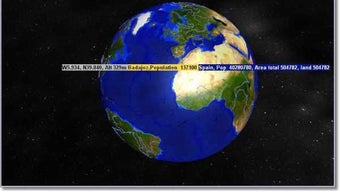
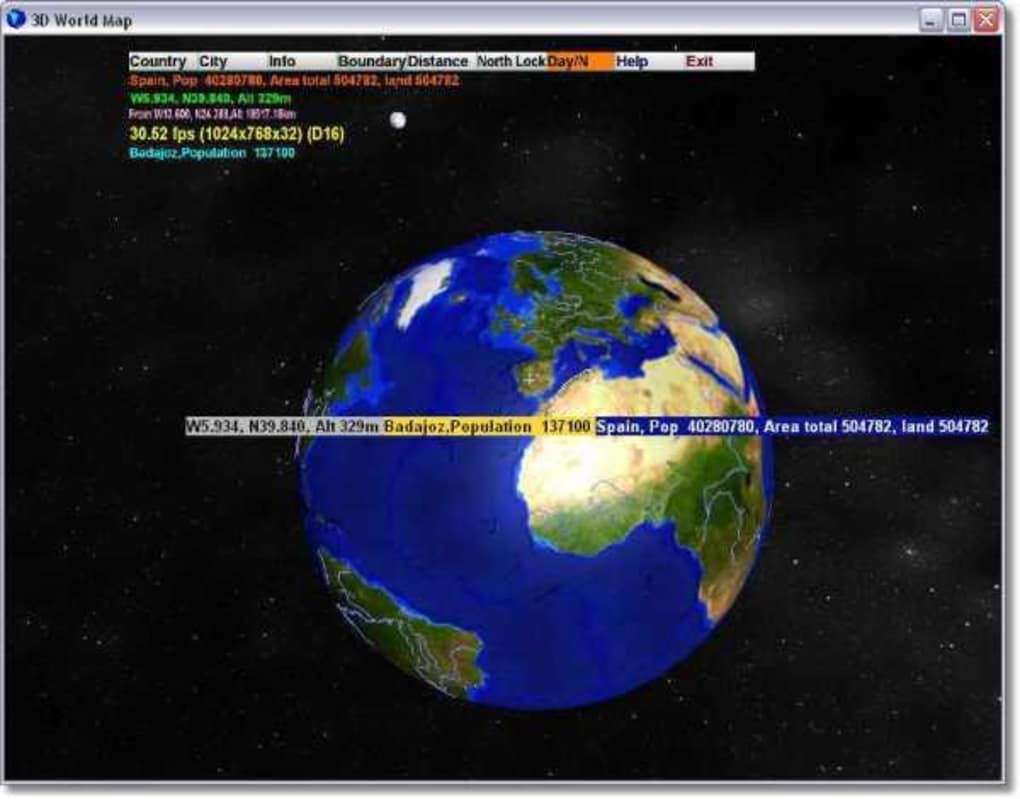
When the application starts, you are greeted by a rotating Earth rendered in low‑poly textures. Use the left mouse button to click and drag the globe, rotating it in any direction. Scrolling the mouse wheel zooms in and out, allowing you to focus on continents or individual countries.
To locate a city, simply click on its marker; a small pop‑up window will display the city name, country, and a brief statistical note. For the astronomy overlay, click the “Night Sky” button in the toolbar; the Earth will dim, and a faint representation of the moon and stars will appear, illustrating the current illumination. The program also includes a “Search” field where you can type the first letters of a city (e.g., “Del” for Delhi) and press Enter to instantly jump to that location.
All controls are intuitive, requiring no learning curve, which makes the software ideal for classroom settings where time is limited. If you wish to capture a particular view for a report, press the PrintScreen key and paste the screenshot into any image editor (such as Paint) to save it as a PNG or JPEG.
Pros and Cons
What Users Love
- Extremely lightweight: Consumes minimal disk space and RAM, keeping older PCs responsive.
- Free trial version: No hidden costs or registration, perfect for schools with tight budgets.
- Intuitive city selection: One‑click access to city names and basic data helps learners retain geographic facts.
- Offline functionality: Works without an internet connection, ideal for remote areas with limited bandwidth.
- Simple installation: The installer runs smoothly on legacy Windows versions and requires only a few clicks.
- Educational focus: Provides a visual supplement to textbook geography and basic astronomy lessons.
- Broad regional popularity: Strong adoption in South Asian countries where older hardware is still prevalent.
Areas for Improvement
- Outdated graphics: The 3‑D rendering looks blocky compared with modern globe applications.
- Lack of multilingual support: Only English interface limits accessibility for non‑English speaking classrooms.
- No built‑in map export: Users must rely on screenshots to capture views for reports.
- Limited OS compatibility: Native support ends at Windows 98; newer Windows versions need compatibility tweaks.
- Missing advanced astronomy features: No planetarium mode, star catalog, or time‑travel simulation.
- No regular updates: The last patch was released in 2004, so bug fixes and security improvements are unlikely.
- Trial version constraints: Some features, like saving custom locations, are disabled in the free version.
Frequently Asked Questions
Is 3D World Map still compatible with modern Windows versions like Windows 10 or 11?
The program was built for Windows 98, Windows 95, and Windows NT. It can run on Windows XP and Windows 7 when launched in compatibility mode, but native support for Windows 10 or 11 is not guaranteed. Users on newer systems often need to use a virtual machine (e.g., VirtualBox) with an older Windows OS installed to achieve full functionality.
Can I use 3D World Map for commercial purposes, such as in a classroom presentation?
Yes. The trial version is free for personal, educational, and non‑commercial use. You may include screenshots in classroom slides or handouts. However, redistribution of the software itself or using it as part of a commercial product would require permission from the original publisher, Longgame.
Does the program provide any data beyond city names, such as population or time zones?
The basic version only displays the city name and the country it belongs to. Some builds include a short population note, but detailed statistics, time zones, or economic data are not part of the core feature set. Users needing richer data should complement the tool with external resources.
Is there a way to save custom views or bookmarks within the application?
The free trial does not include a bookmarking feature. The only method to preserve a particular view is to take a screenshot using the Windows PrintScreen key and save the image externally. The full (paid) version historically offered a “Save Position” function, but it is not available in the trial download.
How secure is the download source for 3D World Map?
When you download the installer from reputable software archives that verify checksums (MD5/SHA‑1) and provide virus‑scan reports, the file is considered safe. The program itself does not contain any network components, so it cannot be used to download malicious content. Always verify the hash against the publisher’s original checksum if it is available.
Conclusion – Should You Download 3D World Map?
If you own a legacy Windows machine, teach in a region where older hardware is still common, or simply enjoy a nostalgic geography tool, 3D World Map remains a worthwhile download. Its ultra‑light footprint, free trial status, and straightforward city‑selection interface make it an accessible entry point for students learning world geography or for teachers needing an offline globe without the expense of modern GIS software. While the graphics are dated and the feature set lacks the depth of contemporary planetarium apps, the program’s core strengths—speed, simplicity, and zero cost—outweigh its shortcomings for many educational scenarios.
For anyone seeking a quick visual reference, a classroom demonstration, or a retro computing experience, click the download button, install the program following the simple steps above, and start spinning the Earth in seconds. Remember to run it in compatibility mode if you are on a newer Windows version, and consider capturing useful views with screenshots for reports or presentations. In short, 3D World Map delivers a reliable, free, and secure globe experience that still holds educational value over two decades after its last update.







